I just logged on today when I log in the frames just dropped massively no idea how actually.
The lastest changes I made/checked:
1) Ran Ccleaner to delete temp. files.
2) Windows required a scan which I am doing right now.
3) Fan Speed / Heat
All listed above seems normal and my laptop is not warm at all. I decided to make a video just to show you how horrible it is.
If you have the same issue please feel free to comment "#FrameDrop" so when a solution is revealed I can share it with you guys.
Video:
- Mosquito
- Posts: 2216
- Game name: Lei_Wong, Eli_Massalsky


- tisler
- Posts: 7751
- Game name: Tommy_Caesar


Are you sure your frame limiter is off?
20:50 - tisler: come ig lets farm heroin
20:51 - Andyy: no i got beated
20:51 - Andyy: irl
the 2 guys i like, donald and tisler, since they;re are worst enemies (ic) t0 in factions, yet they still friends and joking with eachother, peace
Suggestion: Driveable Skull
It's same as chocolate, there's a chocolate that you really like but if they change the taste of it will you buy it? I guess not. There are so many chocolate (servers) out ther
20:51 - Andyy: no i got beated
20:51 - Andyy: irl
the 2 guys i like, donald and tisler, since they;re are worst enemies (ic) t0 in factions, yet they still friends and joking with eachother, peace
Suggestion: Driveable Skull
It's same as chocolate, there's a chocolate that you really like but if they change the taste of it will you buy it? I guess not. There are so many chocolate (servers) out ther
- Mosquito
- Posts: 2216
- Game name: Lei_Wong, Eli_Massalsky
- Fuzzy
- Posts: 2424
- Game name: Leo_Scarpelli

try to do scan with windows defender maybe you got any malware virus on your pc
If this doesn't find any virus unplug your pc from electric energy wait a bit then open your pc and check it for dust.
If this doesn't find any virus unplug your pc from electric energy wait a bit then open your pc and check it for dust.
o shqipe,
- Mosquito
- Posts: 2216
- Game name: Lei_Wong, Eli_Massalsky
Well, my defender gave a potentional unprotected "threat" today and required a scan - this mostly slows down the PC if I ignore this. I am currently holding a "Full Scanning" session and after that I'll reboot and re-try. I'll keep you updated, thanks!Fuzzy wrote:try to do scan with windows defender maybe you got any malware virus on your pc
If this doesn't find any virus unplug your pc from electric energy wait a bit then open your pc and check it for dust.
Last edited by Mosquito on May 23rd, 2017, 1:06 pm, edited 1 time in total.
- Gersi
- Posts: 705
- Game name: Emporio_Falzetta, Frank_Garone


Did you check settings maybe your fps limiter is on at 20? if yes go ig /fpslimit 90 or go settings and turn it off.

- RoGuE
- Posts: 2026
- Game name: Denver_Callahan

This andGersi wrote:Did you check settings maybe your fps limiter is on at 20? if yes go ig /fpslimit 90 or go settings and turn it off.
viewtopic.php?f=12&t=139465
viewtopic.php?f=12&t=115541
Might help you.
- Mosquito
- Posts: 2216
- Game name: Lei_Wong, Eli_Massalsky
Found out that other games are having issues to run too! -> Windows Defender may be the lead cause!
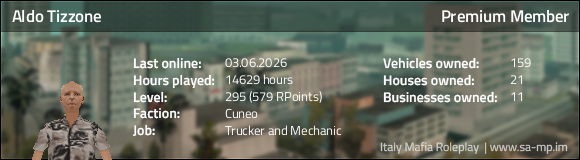
- ALDOoo
- Posts: 1893
- Game name: Aldo_Tizzone, Aldo_Marshall


Try disabling your antivirus, real-time protection might cause that lag or a scan is running on background
- Eduardo
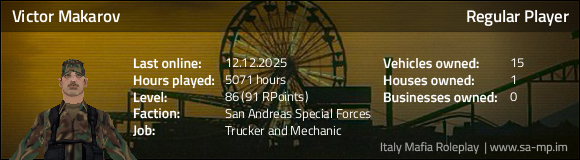
- Posts: 2358
- Game name: Victor_Makarov, Patrick_McGuigan

The scan caused it as it's going through your hard disc. After it's done you'll be back to normal.
Aswered and archived.
Aswered and archived.
Ex Server Helper
Ex NOOSE Special Agent in Charge (T0)
Ex SAPD Chief of Police (T0)
Current SASF Major (T0)
- Italy Mafia RP
- Posts: 6552
- Game name: SERVER

The question has been answered!
If you still want to discuss this matter, please contact a moderator and ask for the thread to be re-opened!
If you still want to discuss this matter, please contact a moderator and ask for the thread to be re-opened!
Community bot.